private $appid  = "" ;
private $secret = "";
private $mch_id = '';
private $key = '';
private $openid = '';
public function index(){
    $this->load->library('wxpay');

    $code = $this->input->post("code");
    $total_fee = $this->input->post("total_fee");
    $total_fee = $total_fee?:1;

    //获取openid
    if($code)
    {
        $WX_APPID = $this->appid;
        $WX_SECRET = $this->secret;
        $url = "https://api.weixin.qq.com/sns/jscode2session?appid=" . $WX_APPID . "&secret=" . $WX_SECRET . "&js_code=" . $code . "&grant_type=authorization_code";
        $infos = json_decode(file_get_contents($url));
        $openid = $infos->openid;
    }
    if(!$openid){
        $openid = $this->openid();
    }

    $appid =        $this->appid;//如果是公众号 就是公众号的appid
    $body =         '小程序支付';
    $mch_id =       $this->mch_id;
    $nonce_str =    $this->nonce_str();//随机字符串
    $notify_url =   'test';
    $openid =      $openid;
    $out_trade_no = time();//商户订单号
    $spbill_create_ip = '127.0.0.1';
    $total_fee =    $total_fee;//因为充值金额最小是1 而且单位为分 如果是充值1元所以这里需要*100
    $trade_type = 'JSAPI';//交易类型 默认


    //这里是按照顺序的 因为下面的签名是按照顺序 排序错误 肯定出错
    $post['appid'] = $appid;
    $post['body'] = $body;
    $post['mch_id'] = $mch_id;
    $post['nonce_str'] = $nonce_str;//随机字符串
    $post['notify_url'] = $notify_url;
    $post['openid'] = $openid;
    $post['out_trade_no'] = $out_trade_no;
    $post['spbill_create_ip'] = $spbill_create_ip;//终端的ip
    $post['total_fee'] = $total_fee;//总金额 最低为一块钱 必须是整数
    $post['trade_type'] = $trade_type;
    $sign = $this->sign($post);//签名

    $post_xml = '<xml>
           <appid>'.$appid.'</appid>
           <body>'.$body.'</body>
           <mch_id>'.$mch_id.'</mch_id>
           <nonce_str>'.$nonce_str.'</nonce_str>
           <notify_url>'.$notify_url.'</notify_url>
           <openid>'.$openid.'</openid>
           <out_trade_no>'.$out_trade_no.'</out_trade_no>
           <spbill_create_ip>'.$spbill_create_ip.'</spbill_create_ip>
           <total_fee>'.$total_fee.'</total_fee>
           <trade_type>'.$trade_type.'</trade_type>
           <sign>'.$sign.'</sign>
        </xml> ';
    //统一接口prepay_id
    $url = 'https://api.mch.weixin.qq.com/pay/unifiedorder';
    $xml = $this->http_request($url,$post_xml);

    $array = $this->xml($xml);//全要大写
    if($array['RETURN_CODE'] == 'SUCCESS' && $array['RESULT_CODE'] == 'SUCCESS'){
        $time = time();
        $tmp='';//临时数组用于签名
        $tmp['appId'] = $appid;
        $tmp['nonceStr'] = $nonce_str;
        $tmp['package'] = 'prepay_id='.$array['PREPAY_ID'];
        $tmp['signType'] = 'MD5';
        $tmp['timeStamp'] = "$time";
        $data['state'] = 1;
        $data['timeStamp'] = "$time";//时间戳
        $data['nonceStr'] = $nonce_str;//随机字符串
        $data['signType'] = 'MD5';//签名算法,暂支持 MD5
        $data['package'] = 'prepay_id='.$array['PREPAY_ID'];//统一下单接口返回的 prepay_id 参数值,提交格式如:prepay_id=*
        $data['paySign'] = $this->sign($tmp);//签名,具体签名方案参见微信公众号支付帮助文档;
        $data['out_trade_no'] = $out_trade_no;


    }else{
        $data['state'] = 0;
        $data['text'] = "错误";
        $data['RETURN_CODE'] = $array['RETURN_CODE'];
        $data['RETURN_MSG'] = $array['RETURN_MSG'];
    }
    echo json_encode($data); //小程序需要的数据 返回前端

}

public function sign($data){
    $stringA = '';
    foreach ($data as $key=>$value){
        if(!$value) continue;
        if($stringA) $stringA .= '&'.$key."=".$value;
        else $stringA = $key."=".$value;
    }
    $wx_key = $this->key;//申请支付后有给予一个商户账号和密码,登陆后自己设置key
    $stringSignTemp = $stringA.'&key='.$wx_key;//申请支付后有给予一个商户账号和密码,登陆后自己设置key
    return strtoupper(md5($stringSignTemp));
}

public function nonce_str(){
    $result = '';
    $str = 'QWERTYUIOPASDFGHJKLZXVBNMqwertyuioplkjhgfdsamnbvcxz';
    for ($i=0;$i<32;$i++){
        $result .= $str[rand(0,48)];
    }
    return $result;
}

function http_request($url,$data = null,$headers=array())
{
    $curl = curl_init();
    if( count($headers) >= 1 ){
        curl_setopt($curl, CURLOPT_HTTPHEADER, $headers);
    }
    curl_setopt($curl, CURLOPT_URL, $url);


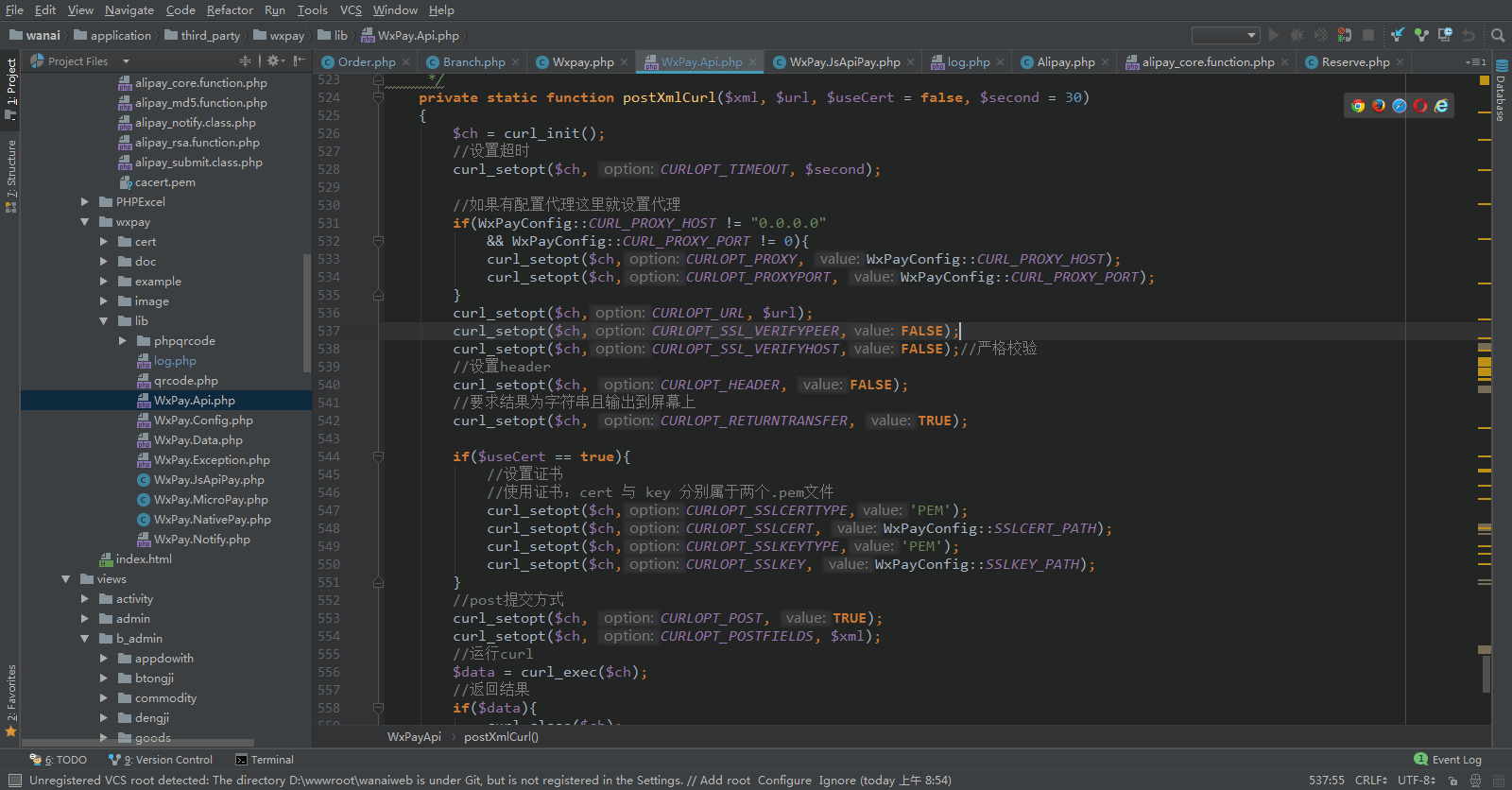
    curl_setopt($curl, CURLOPT_SSL_VERIFYPEER, FALSE);
    curl_setopt($curl, CURLOPT_SSL_VERIFYHOST, FALSE);


    if (!empty($data)){
        curl_setopt($curl, CURLOPT_POST, 1);
        curl_setopt($curl, CURLOPT_POSTFIELDS, $data);
    }
    curl_setopt($curl, CURLOPT_RETURNTRANSFER, 1);
    $output = curl_exec($curl);
    curl_close($curl);
    return $output;
}

private function xml($xml){
    $p = xml_parser_create();
    xml_parse_into_struct($p, $xml, $vals, $index);
    xml_parser_free($p);
    $data = "";
    foreach ($index as $key=>$value) {
        if($key == 'xml' || $key == 'XML') continue;
        $tag = $vals[$value[0]]['tag'];
        $value = $vals[$value[0]]['value'];
        $data[$tag] = $value;
    }
    return $data;
}
payStart:function(){
    var total_fee = total_fee;
    wx.login({
      success: res => {
         //code 用于获取openID的条件之一
        var code = res.code;
        wx.request({
          url: 'http://xxx/xx/x',
          method: "POST",
          data: {
            total_fee:2,
            code: code,
          },
          header: {
            'content-type': 'application/x-www-form-urlencoded' // 默认值
          },
          success: function (res) {  //后端返回的数据
            var data = res.data;
            console.log(data);
            console.log(data["timeStamp"]);
            wx.requestPayment({
              timeStamp: data['timeStamp'],
              nonceStr: data['nonceStr'],
              package: data['package'],
              signType: data['signType'],
              paySign: data['paySign'],
              success: function (res) {
                wx.showModal({
                  title: '支付成功',
                  content: '',
                })
              },
              fail: function (res) {
                console.log(res);
              }
            })
          }
        });
      }
    })
  }