PHP 5.6 及以下 空字符串的 substr 返回 false

PHP 7.0 及以上 空字符串的 substr 返回 空字符串

学习日志 LIUGUOFENG
PHP 5.6 及以下 空字符串的 substr 返回 false
PHP 7.0 及以上 空字符串的 substr 返回 空字符串
WXML
<view bindtap='showModal' class='click'><text>click</text></view>
<view class="commodity_screen {{showModalStatus?'active':''}}" animation="{{animationBG}}" bindtap="hideModal"></view>
<view animation="{{animationData}}" class="commodity_attr_box" wx:if="{{showModalStatus}}" bindtouchstart="mytouchstart" catchtouchmove="mytouchmove" bindtouchend="mytouchend" catchtap='hideModal'></view>
WXSS
.click{
  display: flex;
  flex-direction: row;
  justify-content: center;
  align-items: center;
}

/*使屏幕变暗  */

.commodity_screen {
  display: none;
  width: 100%;
  height: 100%;
  position: fixed;
  top: 0;
  left: 0;
  background: #000;
  opacity: 0;
  overflow: hidden;
  z-index: 1000;
  color: #fff;
  transition: all 2s ease;
}

.commodity_screen.active {
  display: block;
}

/*对话框 */

.commodity_attr_box {
  height: 1120rpx;
  width: 100%;
  position: fixed;
  bottom: 0;
  left: 0;
  z-index: 2000;
  background: #f8f8f8;
  /* padding-top: 20rpx; */
}
JS
Page({
  data: {
  },
  mytouchstart: function (e) {
    console.log(e.timeStamp + '- touch start')
    var startPoint = [e.touches[0].pageX, e.touches[0].pageY]
    this.setData({
      startPoint: startPoint
    })
  },
  mytouchend: function (e) {
    console.log(e.timeStamp + '- touch end')
    console.log(e)
    var endPoint = [e.changedTouches[0].pageX, e.changedTouches[0].pageY]
    this.setData({
      endPoint: endPoint
    })

    var startPoint = this.data.startPoint
    var y = endPoint[1] - startPoint[1]
    console.log('最终移动了Y=' + y)
    if (y > 0) {
      // this.hideModal()
      var animation = wx.createAnimation({
        duration: 500,
        timingFunction: "ease",
        delay: 0
      })
      this.animation = animation
      animation.translateY(900).step()

      var animationBG = wx.createAnimation({
        duration: 500,
        timingFunction: 'ease',
      })
      animationBG.opacity(0).step()

      this.setData({
        animationData: animation.export(),
        animationBG: animationBG.export(),
      })

      setTimeout(function () {
        this.setData({
          showModalStatus: false
        })
      }.bind(this), 500)

      this.setData({
        noscroll: ''
      })
    } else {
      // this.showModal()
      var animation = wx.createAnimation({
        duration: 500,
        timingFunction: "ease",
        delay: 0
      })
      this.animation = animation
      animation.translateY(0).step()
      this.setData({
        animationData: animation.export()
      })
    }
  },
  mytouchmove: function (e) {
    console.log(e.timeStamp + '- touch move')
    var curPoint = [e.touches[0].pageX, e.touches[0].pageY]
    var startPoint = this.data.startPoint
    var y = curPoint[1] - startPoint[1]
    console.log(y)

    var animation = wx.createAnimation({
      duration: 0,
      timingFunction: 'ease',
      delay: 0
    })
    this.animation = animation
    if (y > -50) {
      animation.translateY(y).step()
      this.setData({
        animationData: animation.export()
      })
    }
  },
  //显示对话框
  showModal: function () {
    // 显示遮罩层
    var animation = wx.createAnimation({
      duration: 500,
      timingFunction: "ease",
      delay: 0
    })
    animation.translateY(900).step()
    this.setData({
      animationData: animation.export(),
      showModalStatus: true
    })
    setTimeout(function () {
      animation.translateY(0).step()
      this.setData({
        animationData: animation.export()
      })
    }.bind(this), 0)

    var animationBG = wx.createAnimation({
      duration: 500,
      timingFunction: 'ease',
    })
    animationBG.opacity(0.5).step()
    this.setData({
      animationBG: animationBG.export()
    })

    this.setData({
      noscroll: 'noscroll'
    })
  },
  //隐藏对话框
  hideModal: function () {
    console.log('hideModal')
    // 隐藏遮罩层
    var animation = wx.createAnimation({
      duration: 500,
      timingFunction: "ease",
      delay: 0
    })
    animation.translateY(500).step()
    var animationBG = wx.createAnimation({
      duration: 500,
      timingFunction: 'ease',
    })
    animationBG.opacity(0).step()
    this.setData({
      animationData: animation.export(),
      animationBG: animationBG.export()
    })
    setTimeout(function () {
      animation.translateY(0).step()
      this.setData({
        animationData: animation.export(),
        showModalStatus: false
      })
    }.bind(this), 200)

    this.setData({
      noscroll: ''
    })
  },
})
问题:IOS 性能可以,安卓 性能堪忧
Of Mountains & Printing Presses
The goal of this new editor is to make adding rich content to WordPress simple and enjoyable. This whole post is composed of pieces of content—somewhat similar to LEGO bricks—that you can move around and interact with. Move your cursor around and you'll notice the different blocks light up with outlines and arrows. Press the arrows to reposition blocks quickly, without fearing about losing things in the process of copying and pasting.
What you are reading now is a text block, the most basic block of all. The text block has its own controls to be moved freely around the post...
... like this one, which is right aligned.
Headings are separate blocks as well, which helps with the outline and organization of your content.
Handling images and media with the utmost care is a primary focus of the new editor. Hopefully, you'll find aspects of adding captions or going full-width with your pictures much easier and robust than before.

Try selecting and removing or editing the caption, now you don't have to be careful about selecting the image or other text by mistake and ruining the presentation.
Imagine everything that WordPress can do is available to you quickly and in the same place on the interface. No need to figure out HTML tags, classes, or remember complicated shortcode syntax. That's the spirit behind the inserter—the (+) button you'll see around the editor—which allows you to browse all available content blocks and add them into your post. Plugins and themes are able to register their own, opening up all sort of possibilities for rich editing and publishing.
Go give it a try, you may discover things WordPress can already add into your posts that you didn't know about. Here's a short list of what you can currently find there:
A huge benefit of blocks is that you can edit them in place and manipulate your content directly. Instead of having fields for editing things like the source of a quote, or the text of a button, you can directly change the content. Try editing the following quote:
The editor will endeavour to create a new page and post building experience that makes writing rich posts effortless, and has “blocks” to make it easy what today might take shortcodes, custom HTML, or “mystery meat” embed discovery.
Matt Mullenweg, 2017
The information corresponding to the source of the quote is a separate text field, similar to captions under images, so the structure of the quote is protected even if you select, modify, or remove the source. It's always easy to add it back.
Blocks can be anything you need. For instance, you may want to add a subdued quote as part of the composition of your text, or you may prefer to display a giant stylized one. All of these options are available in the inserter.



You can change the amount of columns in your galleries by dragging a slider in the block inspector in the sidebar.
If you combine the new wide and full-wide alignments with galleries, you can create a very media rich layout, very quickly:

Sure, the full-wide image can be pretty big. But sometimes the image is worth it.


The above is a gallery with just two images. It's an easier way to create visually appealing layouts, without having to deal with floats. You can also easily convert the gallery back to individual images again, by using the block switcher.
Any block can opt into these alignments. The embed block has them also, and is responsive out of the box:
You can build any block you like, static or dynamic, decorative or plain. Here's a pullquote block:
Code is Poetry
The WordPress community
If you want to learn more about how to build additional blocks, or if you are interested in helping with the project, head over to the GitHub repository.
Thanks for testing Gutenberg!

地址栏打开:
http://你的域名/wp-admin/options.php
搜索 medium_large_size_w
改成 0

实测好像并没有什么卵用
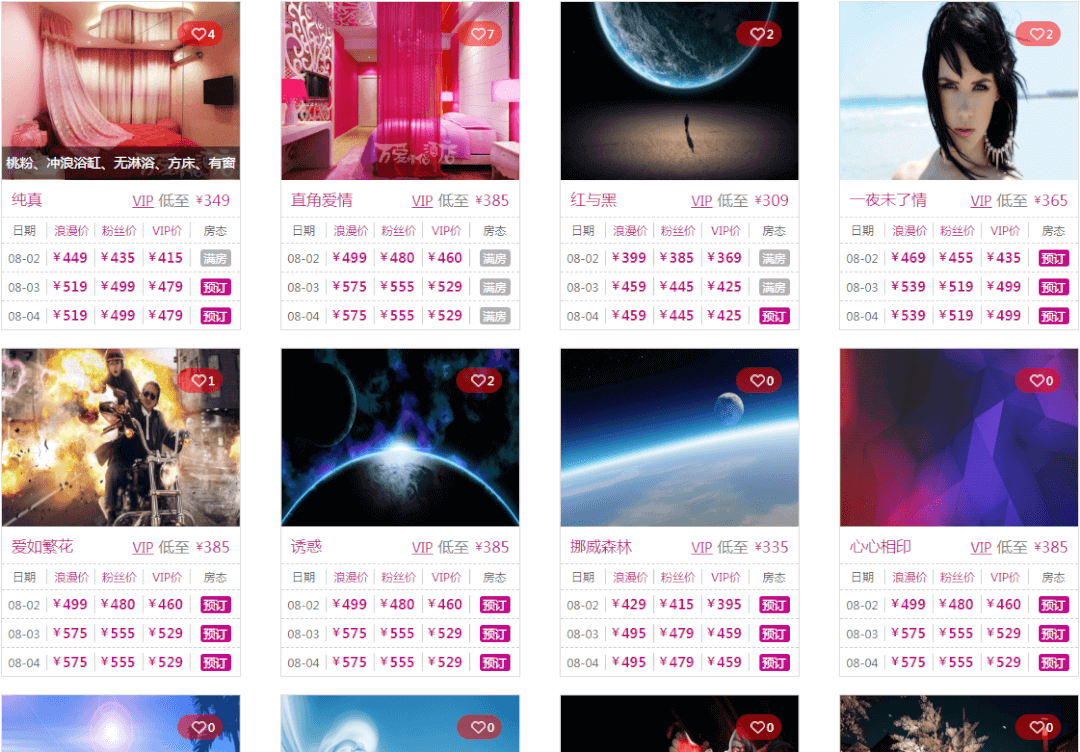
需求:可预订排在前,不可预订排在后,即对既有数据进行重新排序,数据为二维数组,问题转换为根据二维数组的某 key 的值对二维数组进行重排
最开始使用 二维数组降为一维数组,使用 asort/arsort 进行排序,排序完成后根据一维数组的位置替换成二维数组
结果是可以重拍,但问题是对 value 值相同的数据也会打乱重排。
第二种方法使用冒泡排序,也是用二维数组降为一维数组,使用冒泡排序重拍一维,再根据一维的序号替换成二维数组
结果不可重拍,因为冒泡只替换了 value 的位置,key 的位置并没有重拍。常规的冒泡仅是解决索引数组的排序,若想用冒泡的方式,需要对关联数组进行冒泡
第三种方法使用 array_multisort() 函数
array_multisort() 函数对多个数组或多维数组进行排序。
参数中的数组被当成一个表的列并以行来进行排序 - 这类似 SQL 的 ORDER BY 子句的功能。第一个数组是要排序的主要数组。数组中的行(值)比较为相同的话,就会按照下一个输入数组中相应值的大小进行排序,依此类推。
/**数组根据某一value值进行排序
 * @param $arr 二维数组
 * @param $keys 指定按哪列排序
 * @param string $order_by 正序 or 倒叙
 * @param bool $key 原 key 是否保留
 * @param string $way 排序方法
 * @return array 二维数组
 */
private function array_sort($arr,$keys,$order_by='desc',$key=FALSE,$way='bubble'){
  $tmp_array = $new_array = array();
  foreach($arr as $k=>$v){
    $tmp_array[$k] = $v[$keys];
  }

  if($way == 'sort'){
    //sort 方法排序,可以重拍,但是相同值的顺序会被打乱
    if($order_by =='asc'){
      asort($tmp_array);
    }else{
      arsort($tmp_array);
    }
  }elseif($way == 'bubble'){
    //冒泡排序,不能重拍
    if($order_by == 'desc') {
      for ($i = 0; $i < count($tmp_array) - 1; $i++) {
        for ($j = 0; $j < count($tmp_array) - $i - 1; $j++){
          if ($tmp_array[$j]<$tmp_array[$j+1]) {
            $t = $tmp_array[$j];
            $tmp_array[$j] = $tmp_array[$j+1];
            $tmp_array[$j+1] = $t;
          }
        }
      }
    }elseif($order_by == 'asc'){
      for ($i = 0; $i < count($tmp_array) - 1; $i++) {
        for ($j = 0; $j < count($tmp_array) - $i - 1; $j++){
          if ($tmp_array[$j]>$tmp_array[$j+1]) {
            $t = $tmp_array[$j];
            $tmp_array[$j] = $tmp_array[$j+1];
            $tmp_array[$j+1] = $t;
          }
        }
      }
    }
  }elseif($way == 'multisort'){
    //multisort 方法排序,相同值的顺序按顺序输出
    if($order_by == 'desc'){
      array_multisort(array_column($arr,$keys),SORT_DESC,$arr);
      $tmp_array = $arr;
    }elseif($order_by == 'asc'){
      array_multisort(array_column($arr,$keys),SORT_ASC,$arr);
      $tmp_array = $arr;
    }
  }

  reset($tmp_array);
  foreach($tmp_array as $k=>$v){
    if($key==TRUE){
      $new_array[$k] = $arr[$k];
    }else{
      $new_array[] = $arr[$k];
    }
  }
  return $new_array;
}
WXML
<!-- 自定义模态框 -->
<view bindtap='fadeInDlg'  style='display:flex;justify-content: center;'><text>点击</text></view>
<view class="mask" bindtap='fadeOutDlg' animation="{{animationBgData}}" catchtouchmove="preventTouchMove" wx:if="{{showModalDlg}}"></view>
<view class="modalDlg" animation="{{animationData}}" wx:if="{{showModalDlg}}">
    <text>获取授权</text>
    <text>检测到您未授权小程序获取您的用户信息,是否重新授权?</text>
    <view>
    <button bindtap="modelCancel">取消</button>
    <button bindtap="modelC">确定</button>
    </view>
</view>
WXSS
.mask{
    width: 100%;
    height: 100%;
    position: fixed;
    top: 0;
    left: 0;
    background: #000;
    z-index: 9000;
    opacity: 0;
}
.modalDlg{
    width: 580rpx;
    height: 400rpx;
    position: fixed;
    top: 60%;
    left: 0;
    z-index: 9999;
    margin: -370rpx 85rpx;
    background-color: #fff;
    border-radius: 10rpx;
    display: flex;
    flex-direction: column;
    align-items: center;
    justify-content: space-between;
    overflow: hidden;

}
.modalDlg>text{
  font-size:30rpx;
  display: flex;
  flex-direction: row;
  justify-content: center;
  align-items: center;
}
.modalDlg>text:first-child{
  height:80rpx;
  font-weight: 700;
  width:100%;
  border-bottom: 1rpx solid #CCC;
}
.modalDlg>text:nth-child(2){
  height:100rpx;
  margin:0 40rpx;
}
.modalDlg>view{
  display: flex;
  flex-direction: row;
  justify-content: center;
  align-items: center;
}
.modalDlg>view>button{
  width:290rpx;
  height:80rpx;
  font-size: 30rpx;
  border-radius: 0;
  display: flex;
  flex-direction: row;
  justify-content: center;
  align-items: center;
  border-top: 1rpx solid #CCC;
}
.modalDlg>view>button:first-child{
  border-right:1rpx solid #CCC;
}
.modalDlg>view>button::after {
  border-radius: 0;
}
JS
Page({

  data: {
    showModalDlg: false
  },
  onLoad: function() {

  },
  fadeInDlg:function(){
    this.setData({
      showModalDlg:true
    })

    var animation = wx.createAnimation({
      duration:0,
      timingFunction:'step-start',
    })
    animation.opacity(0).scale(0.8,0.8).step();
    this.setData({
      animationData: animation.export()
    })
    animation = wx.createAnimation({
      duration: 200,
      timingFunction: 'ease',
    })
    animation.opacity(1).scale(1,1).step()
    this.setData({
      animationData:animation.export()
    })

    var animationBg = wx.createAnimation({
      duration: 200,
      timingFunction: 'step-start',
    })
    animationBg.opacity(0).step()
    animationBg = wx.createAnimation({
      duration:500,
      timingFunction:'ease',
    })
    animationBg.opacity(0.5).step()
    this.setData({
      animationBgData:animationBg.export()
    })
  },
  fadeOutDlg:function(){
    var _this = this
    var animation = wx.createAnimation({
      duration:200,
      timingFunction:'ease',
    })
    animation.opacity(0).scale(0.8, 0.8).step();
    this.setData({
      animationData:animation.export()
    })

    var animationBg = wx.createAnimation({
      duration: 200,
      timingFunction: 'ease',
    })
    animationBg.opacity(0).step()
    this.setData({
      animationBgData: animationBg.export()
    })

    setTimeout(function(){
      this.setData({
        showModalDlg: false
      })
    }.bind(this),200)
  },

  preventTouchMove: function() {
    //阻止触摸
  },

})

WXML
<!-- 自定义模态框 -->
<view class="mask" bindtap='modelCancel' catchtouchmove="preventTouchMove" wx:if="{{showModalDlg}}"></view>
<view class="modalDlg" wx:if="{{showModalDlg}}">
    <text>获取授权</text>
    <text>检测到您未授权小程序获取您的用户信息(头像/昵称),是否重新授权?
    请依次点击 授权->登录</text>
    <view>
    <button open-type="openSetting">授权</button>
    <button bindtap="toLogin">登录</button>
    </view>
</view>
WXSS
.mask{
    width: 100%;
    height: 100%;
    position: fixed;
    top: 0;
    left: 0;
    background: #000;
    z-index: 9000;
    opacity: 0.7;
}

.modalDlg{
    width: 580rpx;
    height: 400rpx;
    position: fixed;
    top: 60%;
    left: 0;
    z-index: 9999;
    margin: -370rpx 85rpx;
    background-color: #fff;
    border-radius: 10rpx;
    display: flex;
    flex-direction: column;
    align-items: center;
    justify-content: space-between;
    overflow: hidden;

}
.modalDlg>text{
  font-size:30rpx;
  display: flex;
  flex-direction: row;
  justify-content: center;
  align-items: center;
}
.modalDlg>text:first-child{
  height:80rpx;
  font-weight: 700;
  width:100%;
  border-bottom: 1rpx solid #CCC;
}
.modalDlg>text:nth-child(2){
  height:100rpx;
  margin:0 40rpx;
}

.modalDlg>view{
  display: flex;
  flex-direction: row;
  justify-content: center;
  align-items: center;
}

.modalDlg>view>button{
  width:290rpx;
  height:80rpx;
  font-size: 30rpx;
  border-radius: 0;
  display: flex;
  flex-direction: row;
  justify-content: center;
  align-items: center;
  border-top: 1rpx solid #CCC;
}
.modalDlg>view>button:first-child{
  border-right:1rpx solid #CCC;
}
.modalDlg>view>button::after {
  border-radius: 0;
}
JS
Page({

  data: {
    showModalDlg: true
  },

  preventTouchMove: function () {
    //阻止触摸
  },

  modelCancel:function(){
    this.setData({
      showModalDlg: false
    })
  },
})
测试产品列表时发现,在模拟器上使用列表筛选功能,能够正确显示列表个数,但在手机端个数显示多了,经排查是因为 img 标签使用了 binderror 功能,图片显示错误时调用了替代图片。
使用筛选功能后,产品列表的数量由 12 减少至 6,但之前 binderror 并未全部全部替换,特别是当 img 标签启用了 lazy-load='true' 功能,导致上一次列表的 binderror 继续执行
解决方法,插入图片时判断新列表时候有新列表的 key 存在,存在再替换默认图片 arr.hasOwnProperty()
errorFunction: function(event) {
   console.log('errorFunction')
   console.log(event)
   var index = event.currentTarget.dataset.index
   console.log(index)
   var img = 'rlist[' + index + '].DefaultPicUrl_s'

   if (this.data.rlist.hasOwnProperty(index)) {
     this.setData({
       [img]: this.data.img_error
     })
   }
 },
WXML
将整个底层页面使用 scroll-view 包裹起来,设置 scroll-y 当显示弹出层的时候为 true, 闭关弹出层的时候为 false
<scroll-view scroll-y="{{showModalStatus?'true':'false'}}">

</scroll-view>
WXSS
Page 设置为绝对定位,宽高各百分之百 , scroll-view 高度 百分之百
Page{
  position: absolute;
  width: 100%;
  height: 100%;
  display: block;
  background: #FAFAFA;
  overflow-y: hidden;
}
scroll-view{
  height:100%;
}
JS
JS 控制 showModalStatus 的开关。
不过这引入了新的问题,无法触发 onReachBottom 页面上拉触底事件的处理函数
不介意的话可以使用 scroll-view 的 bindscrolltolower 进行解决 bindscrolltolower 方法触发 onReachBottom()
WXML
<scroll-view bindscrolltolower='bindscrolltolower' scroll-y="{{showModalStatus?'true':'false'}}">

</scroll-view>
JS
bindscrolltolower:function(){
  console.log('bindscrolltolower')
  var page = getCurrentPages().pop()
  console.log(page)
  page.onReachBottom()
}
所以另一种方法
WXML
把底层页面使用 view 包裹起来,动态设置样式
<view class="{{showModalStatus?'page-fix':''}}">

</view>
WXSS
动态样式开启模态层时,绝对定位
.page-fix{
  position: fixed;
}